T TinyHands Studio
🚀 A New Way to Approach KDP Publishing

What If You Could Build a Real Amazon KDP Publishing Catalog — Even If You’ve Never Published a Single Book Before?

Introducing the browser-based studio that helps everyday people design and publish print-ready preschool activity books — without design skills, without hiring illustrators, and without paying a monthly subscription.

Even if you’ve tried KDP before and quit, and even if you don’t consider yourself “creative.”

See TinyHands Studio in action — watch the walkthrough.

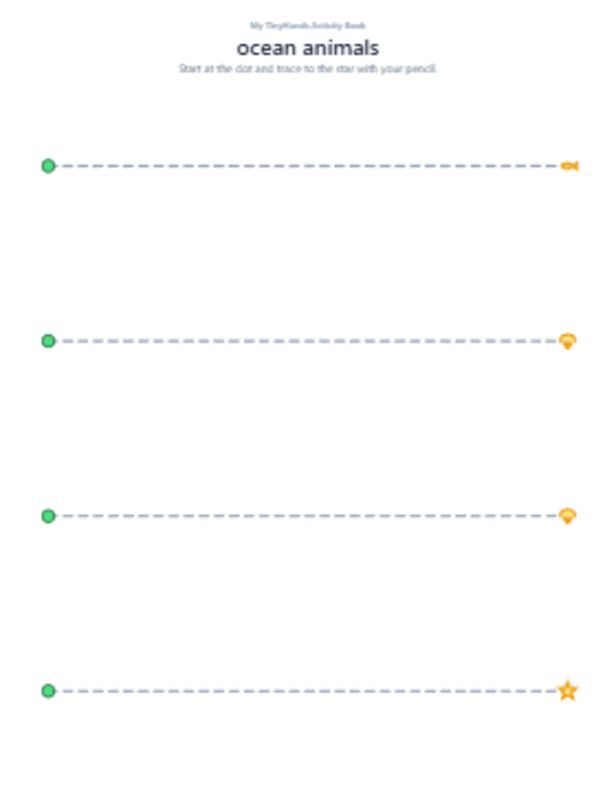
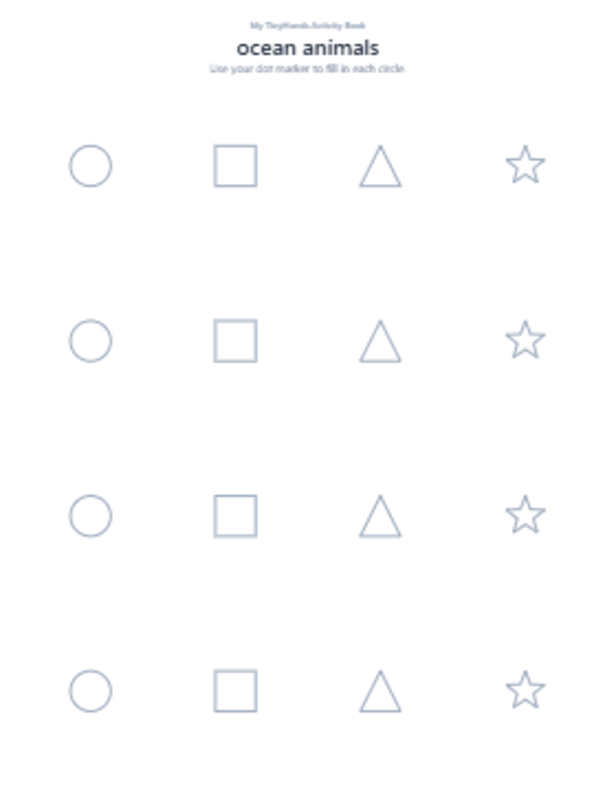
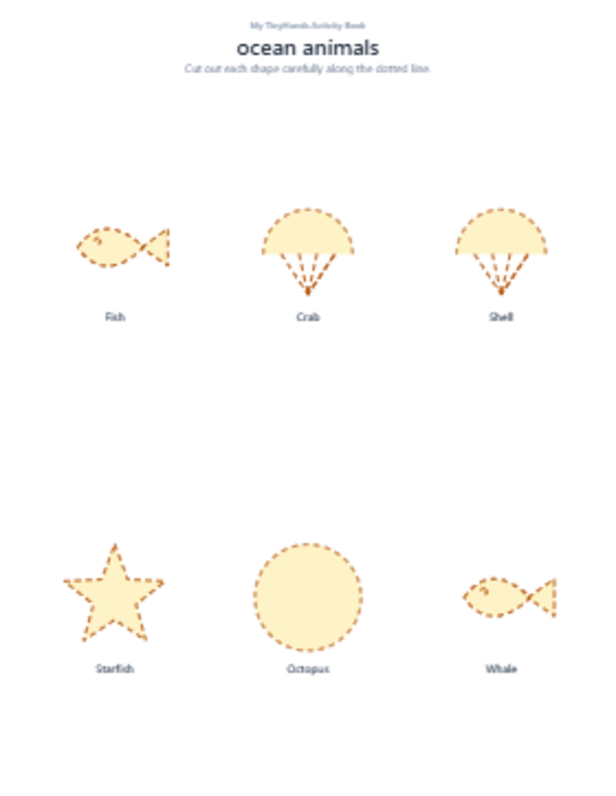
Sample tracing worksheet generated by TinyHands Studio Sample dot marker mosaic page generated by TinyHands Studio Sample cut and paste page generated by TinyHands Studio

Real pages generated by the app — every screenshot on this page is a live export, not mockup art.

✏️

Trace & Learn

Pencil-control tracing pages that build early handwriting skills — from suggested themes or your own art.

✂️

Snip & Stick

Matched cut-and-paste page pairs — a proven format for scissor practice and shape recognition.

🎯

Dots & Draw

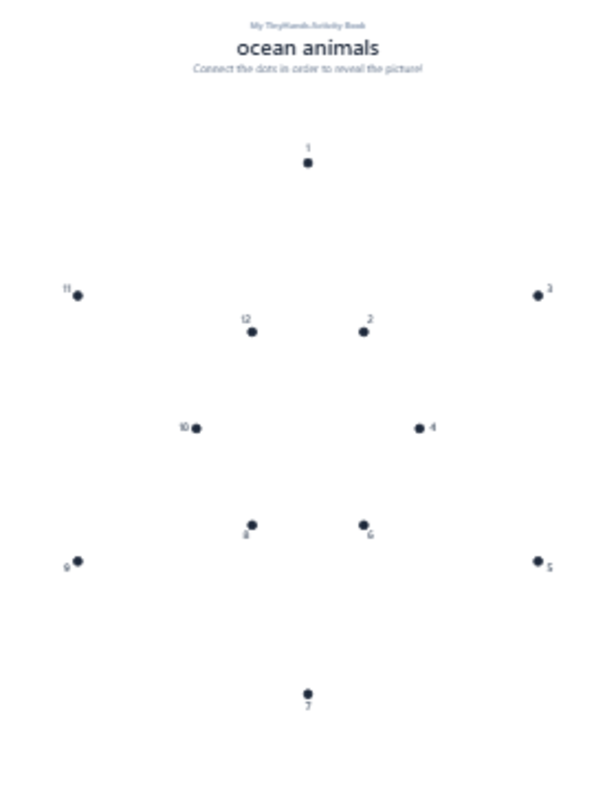
Numbered connect-the-dots and dot-marker mosaic pages generated from any silhouette you choose.

👉 See What’s Included
One-time payment · Instant delivery · 30-day money-back guarantee

Preschool activity books are one of the most consistent categories on Amazon KDP — and creators who understand the format have a real chance to build something meaningful.

Parents are always looking for screen-free, educational activities for their kids. Teachers order printables in bulk every school year. Grandparents give activity books as gifts. Homeschool families burn through workbooks weekly. This is a category that renews itself constantly.

What used to hold everyday creators back wasn’t the market — the market was always there. What held them back was the workflow. Designing 30 to 60 print-ready pages by hand takes weeks. Hiring an illustrator can cost hundreds or thousands of dollars per title. Buying stock art comes with licensing headaches that can get a book pulled off Amazon months later.

The shift that changed everything:

A whole class of creators has stopped waiting for “perfect design skills” and started using specialized tools that handle the technical side of book creation — freeing them to focus on themes, marketing, and building a catalog. TinyHands Studio was built for exactly this kind of creator.

$4.4B+
estimated global children’s book market
Grand View Research, 2023
300K+
new titles self-published each year on Amazon KDP
Publicly reported KDP data
80%+
of parents look for “screen-free” kids activities weekly
Common Sense Media survey, 2023

Market data is provided for background context only. It is not a projection of any individual creator’s results.

This page will show you what TinyHands Studio does, who it’s for, what it costs, and what your options are if it turns out not to be right for you. There are no income promises here. We can’t predict what any individual creator will earn — that depends entirely on your effort, the market, and factors outside our control. What we can promise is that this tool does exactly what we say it does, and that if you’re not happy, we’ll refund your money within 30 days. No hoops.

The traditional path into KDP publishing is filled with expensive detours that scare most people off before they even publish their first book.

If you’ve looked into KDP before, you’ve probably run into some of these walls. They’re not your fault — they’re baked into the standard workflow. But they’re also completely avoidable once you know how the modern approach works.

🎨

Canva takes forever

Aligning tracing dots, sizing pages to KDP trim, matching every shape — a single book can eat weeks of evenings and weekends.

💸

Illustrators are expensive

A hand-illustrated 60-page activity book on Fiverr or Upwork can cost hundreds or thousands, often before you sell a single copy.

⚖️

Stock art licensing is confusing

“Commercial use” has small print. Getting a book pulled off Amazon because of a stock license issue is a real risk.

📚

PLR books all look identical

When hundreds of sellers use the same PLR pack, your listing has almost nothing to help it stand out on the search page.

KDP rejects your PDF

Wrong DPI. Safe margins off. Bleed missing. Every rejection loop is another day you’re not publishing.

🔁

You can’t sustain the pace

Even if you finish one book, doing it again by hand feels impossible. A catalog of ten titles feels unreachable.

The result is a familiar pattern.

Someone gets excited about KDP, buys a Canva Pro subscription, watches a few YouTube tutorials, wrestles with their first book for a couple of months, publishes it, watches it get buried on page 40 of Amazon search, and quietly gives up. It happens all the time. And it has almost nothing to do with the person — it has to do with the workflow.

What changes is not the person — what changes is the tool.

That’s when we discovered a completely different way to approach page creation…

“The creators who were quietly building steady KDP catalogs weren’t working harder. They weren’t using magical AI prompts. They were using specialized generators that let them focus on themes and marketing — not fighting layout software.”

Every existing generator we tried had a fatal flaw. One crashed on export. Another only did coloring pages. A third worked, but its templates were shared across thousands of buyers, meaning every book produced looked identical to every other buyer’s book. Paying to compete with yourself.

So we built the tool we actually wanted to use. A tool that runs in the browser (no installs, no subscription, no cloud upload of your files), produces genuinely print-ready 300 DPI KDP-compliant PDFs, and — this is the key part nobody else got right — lets you upload your own line art and turn it into full activity pages automatically. Traceable outlines, cut-and-paste pairs, connect-the-dots, dot-marker mosaics. All from one drawing. All uniquely yours.

The result is TinyHands Studio. And today’s the first day we’re opening it to publishers outside our beta group.
Introducing

TinyHands Studio

The browser-based activity book studio that helps you build print-ready preschool book interiors in the time it used to take to design a single page.

With TinyHands Studio you can finally sit down and build a full 60-page activity book — themed exactly the way you want, with pages that are unique to your catalog — without hiring anyone, without a monthly subscription, and without learning complicated design software.

🖊️ Trace & Learn — pencil-control worksheets that actually teach

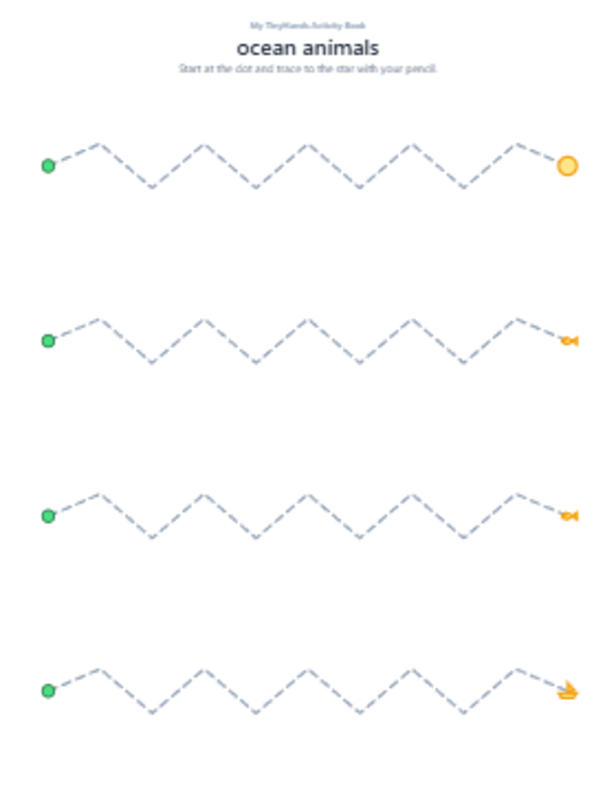
Straight lines, waves, spirals, zigzags, shape outlines, and letter-form tracing — with dashed, dotted, or solid guide styles, three difficulty levels, and start-dot / finish-star markers preschoolers instantly understand.

Example Trace & Learn worksheet output
Example Snip & Stick cut-out page

✂️ Snip & Stick — matched cut & paste page pairs

Every “cut this out” page comes paired with a matching “paste it here” page. Themed vocabulary (ocean, farm, space, jungle, or any theme you type) fills the shapes with names kids recognize. Ideal for scissor practice and shape matching.

🔵 Dots & Draw — connect-the-dots + dot-marker mosaics

Numbered dot-to-dot pages with clean outlines paired with matching dot-marker mosaic pages that kids fill in with paint daubers. Both are generated automatically from any picture — including your own artwork.

Example Dots & Draw dot marker mosaic page
🎨

Your themes, unlimited variety

Type any theme keyword — “farm animals,” “space rockets,” “dinosaurs,” “jungle” — and the app fills every page with matching vocabulary. Or plug in your own Google Gemini API key for infinite AI-powered variety across bundled themes.

📤

Upload your own art — the feature nobody else has

Upload a coloring-page style line drawing — a hamster, a rocket, a fairy, anything — and TinyHands Studio automatically generates a traceable outline for the Tracing section, a cut/paste pair for Snip & Stick, and a connect-the-dots plus dot-marker mosaic for Dots & Draw. From one drawing, you get five unique activity pages.

📐

Every KDP trim size, print-ready

8.5″×11″, 8″×10″, 7″×10″, 6″×9″, 5.5″×8.5″, 5″×8″, A4 — all pre-configured with 300 DPI, 0.25″ safe margins, and automatic page numbers. Upload to KDP and it’s designed to pass technical review the first time.

🔤

12 kid-friendly title fonts included

Fredoka, Baloo, Nunito, Comic Neue, Patrick Hand, Caveat, Chewy, Bubblegum Sans, Schoolbell — every font preschool publishers actually use, ready to apply to every page’s theme header with one click.

Which means…

  • No more paying hundreds for illustrator work per title
  • No more grinding for weeks in Canva to design a single book
  • No more legal anxiety over stock-art licensing terms
  • No more KDP rejections for wrong DPI or bad safe margins
  • No more publishing books that look identical to a hundred other sellers’
  • No more monthly subscription fees to keep your work usable

And instead…

  • Design a full activity book interior in a fraction of the time you used to spend
  • Publish books featuring your own signature art nobody else has
  • Iterate on themes and difficulty in seconds instead of days
  • Own everything you create — one payment, lifetime access, full commercial rights
🎯 Get Full Details Below
Instant unlock · Works on any modern browser · No install required

Actual pages, exported live from the app.

Every image below is a real page generated by TinyHands Studio during a normal session — no mockups, no touch-ups. This is exactly what your book interiors will look like on your KDP upload.

From blank page to print-ready interior in three simple steps.

The workflow was designed so someone who has never used design software before can finish a book interior in an afternoon.

1

Pick your theme & trim size

Type any theme keyword and choose your KDP trim size, age range, and title font. This takes about thirty seconds and sets the whole book’s look and feel automatically.

2

Generate your pages

Open Trace & Learn, Snip & Stick, or Dots & Draw. Pick Suggested Images or upload your own art. Click Generate — the app produces beautiful, print-ready pages you can regenerate, reorder, or delete individually until it’s exactly right.

3

Export & upload to KDP

One click exports a KDP-ready 300 DPI PDF with automatic page numbers and safe margins. Upload directly to KDP and start your listing.

TinyHands Studio doesn’t just save time — it removes the wall that stops most beginners from ever finishing.

When the technical grind disappears, the parts of publishing that actually matter (choosing good themes, writing solid descriptions, learning your niche) become possible.

😌

Confidence to Ship

You don’t have to be a designer to publish a professional-looking book. That mental unlock is huge.

Sustainable Pace

What used to be a multi-week grind can become an afternoon project — meaning a real catalog is actually reachable.

🎨

Creative Ownership

Every page you generate is yours to keep, publish, and sell — no shared PLR, no illustrator credits to worry about.

Every tool a modern KDP creator needs, built in.

🧠

Smart image processing

Automatic Otsu thresholding, contour tracing, and polyline simplification turn any uploaded line art into clean traceable outlines and connect-the-dots — no manual tracing required.

🎯

Four marker shapes for Dot Marker pages

Circle, square, triangle, or mixed — pick the style that matches your book’s vibe. Density adjusts automatically to Easy / Medium / Hard difficulty.

📦

Export as PDF or PNG/JPG bundle

Print-ready PDF for KDP, or a zipped image bundle for use in Canva, Word, or any other tool. Every page is numbered automatically.

🔒

Fully private, offline-capable

Everything runs in your browser. Your uploaded art never leaves your computer. No accounts required, no cloud upload, no data harvesting. Works offline after first load.

♾️

Unlimited books, unlimited pages

Generate as many books as you want. Sell them on Amazon KDP, Etsy, TeachersPayTeachers, your own site — with full commercial rights included.

📖

Built-in step-by-step guide

Every section has an in-app tutorial with visual examples of ideal vs. non-ideal uploads, difficulty explanations, and category-specific tips. Minimal learning curve.

🚀 Get Access Now
Lifetime access · No subscription · Works on Windows, Mac, iPad, Chromebook

Is TinyHands Studio right for you?

This tool was built for creators who want to publish preschool activity books without wrestling with design software. If any of these describe you, it’s probably a good fit.

👉 KDP creators who want to build a catalog

Real KDP results tend to come from catalog size, not from a single hit book. If you want to build a portfolio of preschool titles across different themes, TinyHands helps you get there faster than the hand-designed approach.

👉 Homeschool parents who want fresh worksheets weekly

Print exactly what your child needs today — tracing for a wobbly letter, cutting practice for growing hands, connect-the-dots for a rainy afternoon. Custom themes match whatever unit you’re studying.

👉 Preschool teachers & daycare owners

Generate a whole month of themed activities in one sitting instead of buying individual worksheets every week.

👉 Etsy sellers & digital product creators

Package themed printable bundles and list them on Etsy or your own store. Every export is yours to sell.

👉 Illustrators & small studios

Turn your existing character library into a range of activity products. Upload once, get several different page types out. Your art, expanded.

Hi, we’re the team behind TinyHands Studio.

We’re a small team of parents, publishers, and self-taught KDP creators who spent way too many late nights fighting Canva and licensing terms before we finally sat down and said, “there has to be a better way.”

We built TinyHands Studio for creators like the person we were three years ago — smart, motivated, but stuck on the technical side. We can’t control what any individual will earn from KDP — that depends on your niche, your effort, and market factors far outside our control. But we can build a tool that removes the design bottleneck, and that’s what we’ve done.

And we back it with a genuine 30-day money-back guarantee. If it’s not right for you, we’ll refund your purchase without hassle.

🛡️

30-Day Money-Back Guarantee

Try TinyHands Studio for a full 30 days. Design pages, upload your art, export PDFs, use it in your real workflow. If it’s not the right fit for any reason, just email us within 30 days of purchase and we’ll refund your payment in full. No questionnaires, no hoops.

Your complete TinyHands Studio package.

  • Trace & Learn — unlimited tracing worksheets (dashed / dotted / solid, Easy to Hard)
  • Snip & Stick — unlimited matched cut & paste page pairs
  • Dots & Draw — unlimited connect-the-dots + dot-marker mosaic pages
  • Upload your own art — turn any line drawing into multiple activity page types
  • 7 KDP trim sizes — 8.5×11, 8×10, 7×10, 6×9, 5.5×8.5, 5×8, A4
  • 12 kid-friendly title fonts — Fredoka, Baloo, Nunito, Comic Neue & more
  • Print-ready PDF export — 300 DPI, safe margins, automatic page numbers
  • PNG / JPG image bundle export — for Canva, Word, or your own workflow
  • Optional AI theme generation — bring your own Gemini key for unlimited themes
  • Lifetime access — one payment, no subscription, no expiry
  • Full commercial rights — sell everything you create
$47 $22.95

Introductory price during launch. Price may change without notice.

YES — I’m ready to get started so I can…

  • Design print-ready activity book interiors without hiring anyone
  • Stop paying illustrators and stop grinding in Canva
  • Build a catalog with pages featuring my own art
  • Move at a sustainable pace instead of getting stuck on page one
  • Keep full commercial rights on everything I create
  • Try it risk-free with a 30-day money-back guarantee
🚀 Get Instant Access — $22.95
Instant delivery · 30-day money-back guarantee · One-time payment · Lifetime access

Frequently asked questions.

Am I allowed to sell the books I create on Amazon KDP or Etsy?

Yes. Your license includes full commercial rights for every page you generate with the tool. You may publish on KDP, Etsy, TeachersPayTeachers, Gumroad, your own store, or any other platform.

Do you guarantee I’ll make money on KDP?

No, and any tool that does is not being honest with you. Whether a book earns anything on Amazon depends on your niche selection, effort, cover, keywords, timing, and market conditions — all of which are outside our control. What we guarantee is the tool itself: it will do what this page says it does, or we’ll refund you within 30 days.

Does this work on Mac / Windows / iPad / Chromebook?

Yes, all of them. TinyHands Studio runs entirely inside a modern browser (Chrome, Safari, Edge, Firefox). Nothing to install or download. If your device can open Google Docs, it can run TinyHands Studio.

Do I need design skills to use this?

No. The Suggested Images mode builds everything from a theme keyword. If you want to add your own art, you don’t have to draw either — you can use any coloring-book style line art you find online (with rights) or create simple silhouettes yourself. The app auto-processes whatever you upload.

Will my PDF pass KDP’s technical review?

Every page is rendered at 300 DPI with correct KDP safe margins and trim sizes baked in. In our beta the tool produced PDFs that passed KDP’s technical checks on the first upload attempt. If your specific book fails technical review for any reason, our support team will help you diagnose it.

Is this a subscription?

No. TinyHands Studio is a one-time payment for lifetime access. Pay once today, use the tool as long as you need it.

Can I use TinyHands Studio for multiple businesses or brands?

Yes. Your license covers your personal use across every business or brand you own — with full commercial rights on every page you generate. There are no seat limits, no per-book fees, no separate agency tier — one purchase, use it however you need.

How does the refund process work?

Within 30 days of your purchase, email our support team and let us know you’d like a refund. We’ll process it — no questionnaires, no hoops. Refunds are issued through the original payment method you used at checkout.

How do I get help if I get stuck?

Every category in the app has a built-in step-by-step guide. Beyond that, you have access to our email support team, and every buyer is invited to our small private community where the founders and other users hang out.

🎉 Get My Copy — $22.95
Backed by our 30-day money-back guarantee.